Receive every site
One stream path per location over SRT or RTMP, through a cloud edge, a tunnel or your own address.
VPS edge →KRZN Live receives the feeds of all your sites, cameras and phones, shows them in one multiviewer, records every source, hands them to vMix or OBS as NDI®, and sends your program live to every platform. One Windows app, built for broadcast.
Pricing on inquiry. Every demo is set up with you.
On air: Main stageNext: Cam 2 · wide
Feeds arrive from anywhere, the main server records, captions, monitors and routes every one, and the program goes to production, viewers and platforms. Directly, or through an optional cloud server where ports can't be opened.
Click any part of the diagram to see what it does.
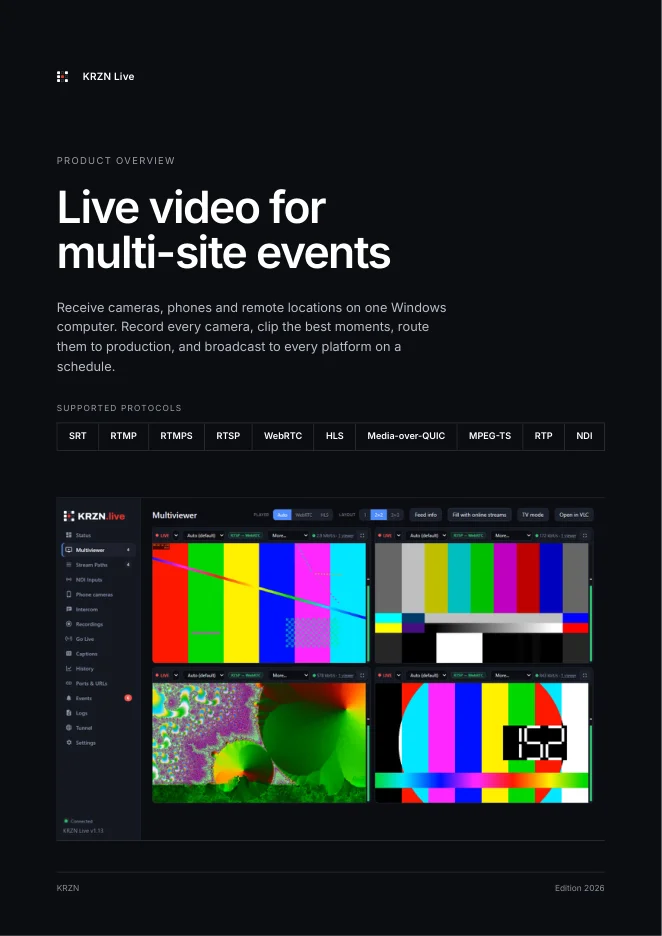
The dashboard runs in its own window on your production computer, and in any browser on your network. Pick a screen, or let the tour play.
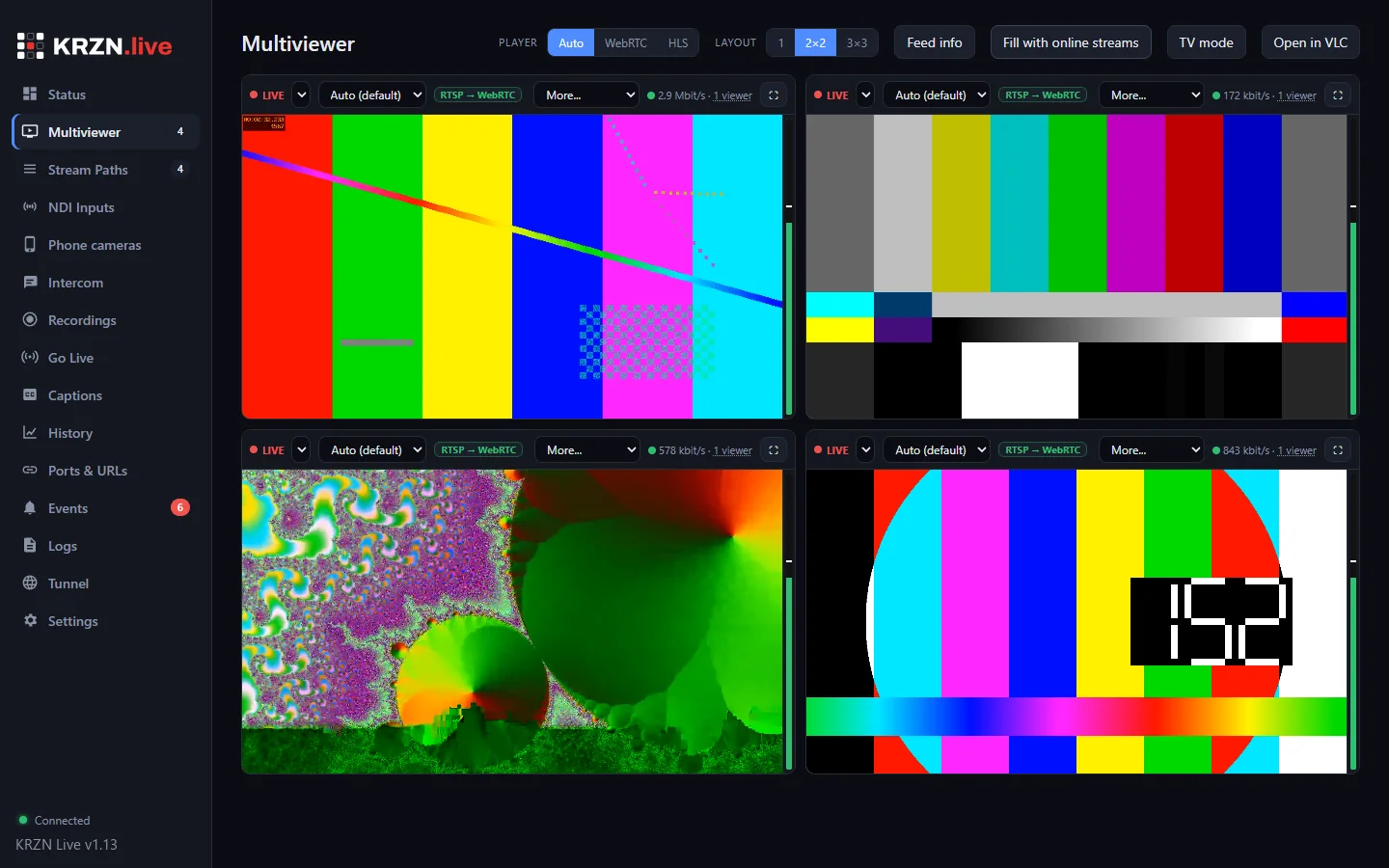
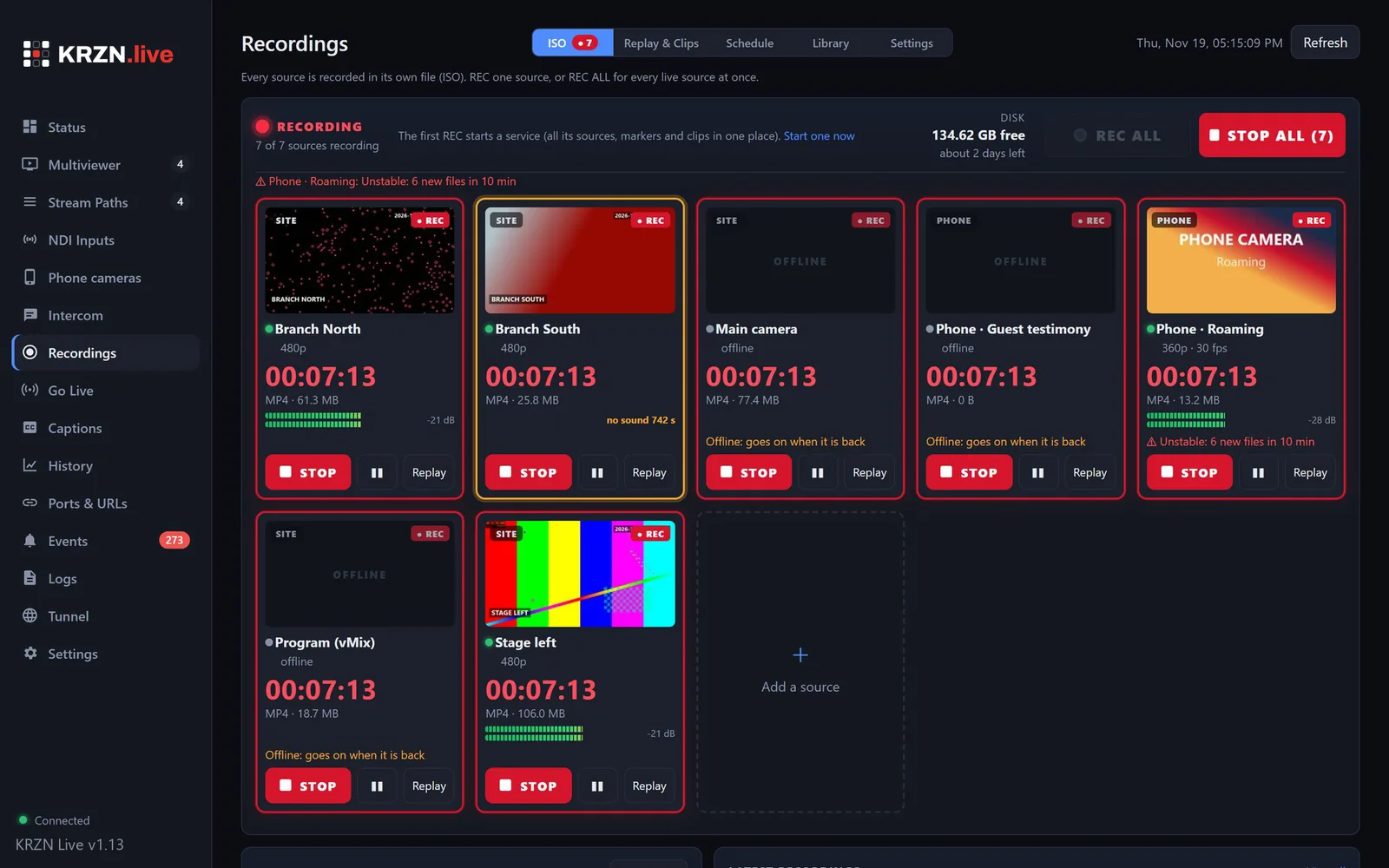
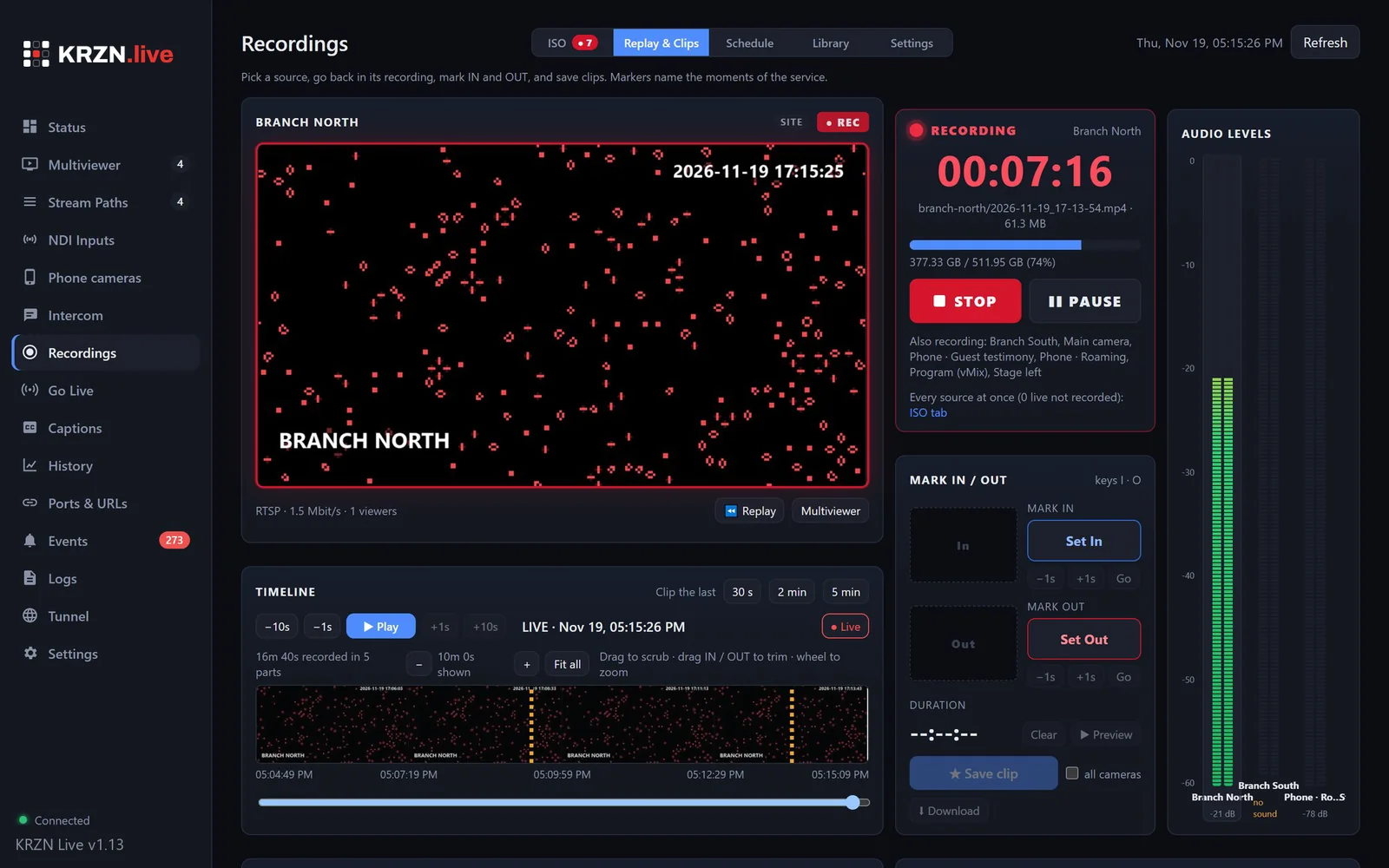
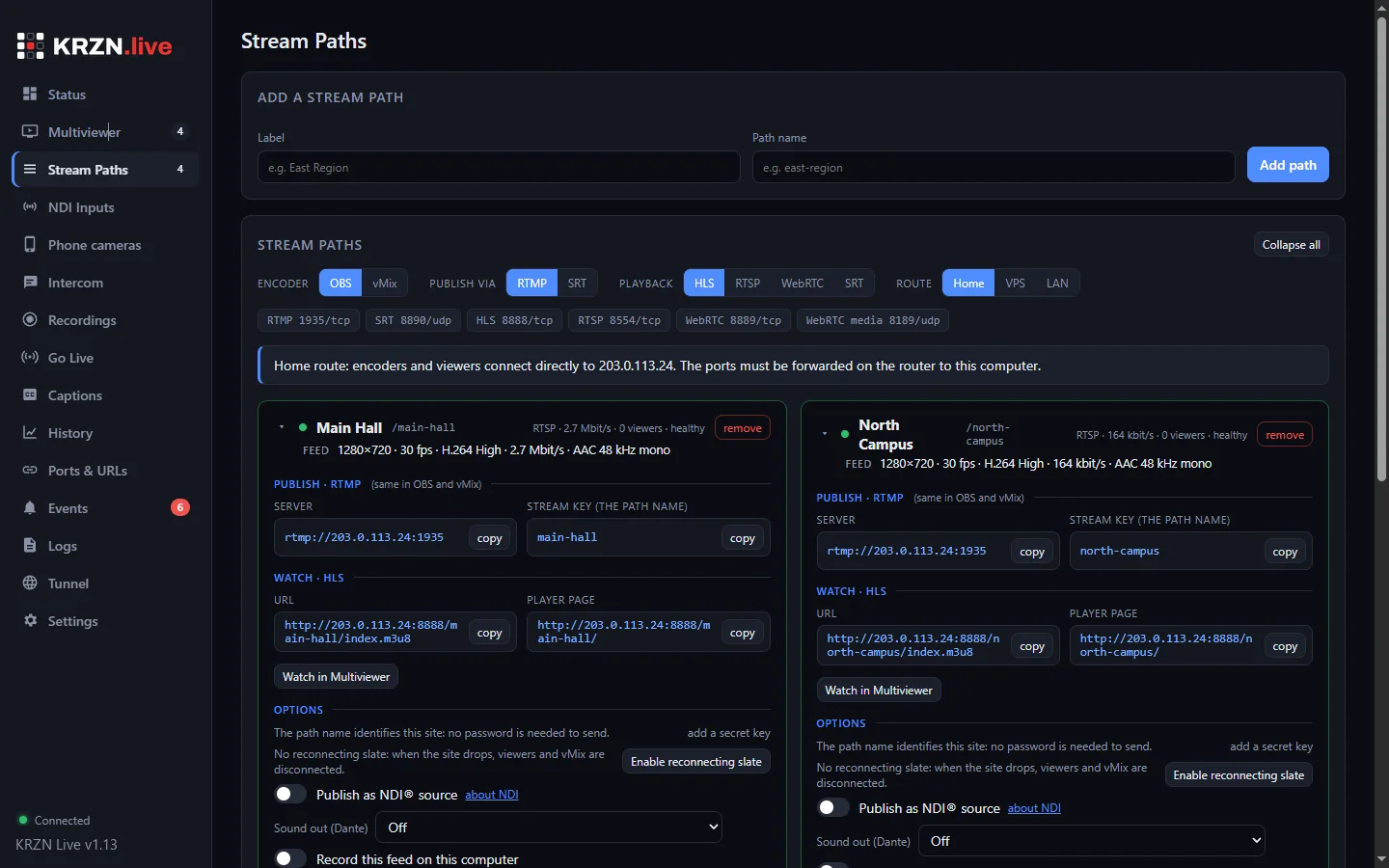
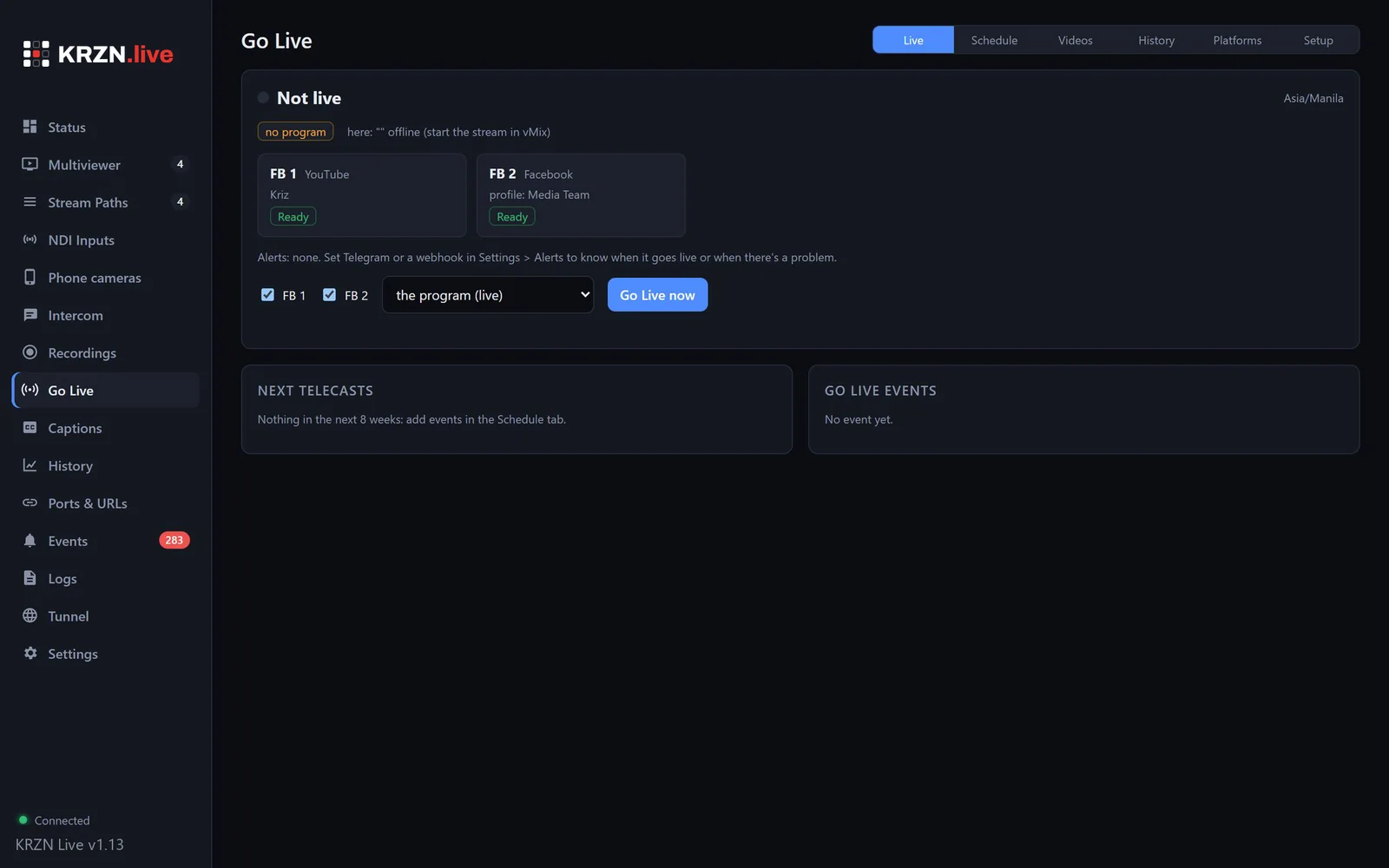
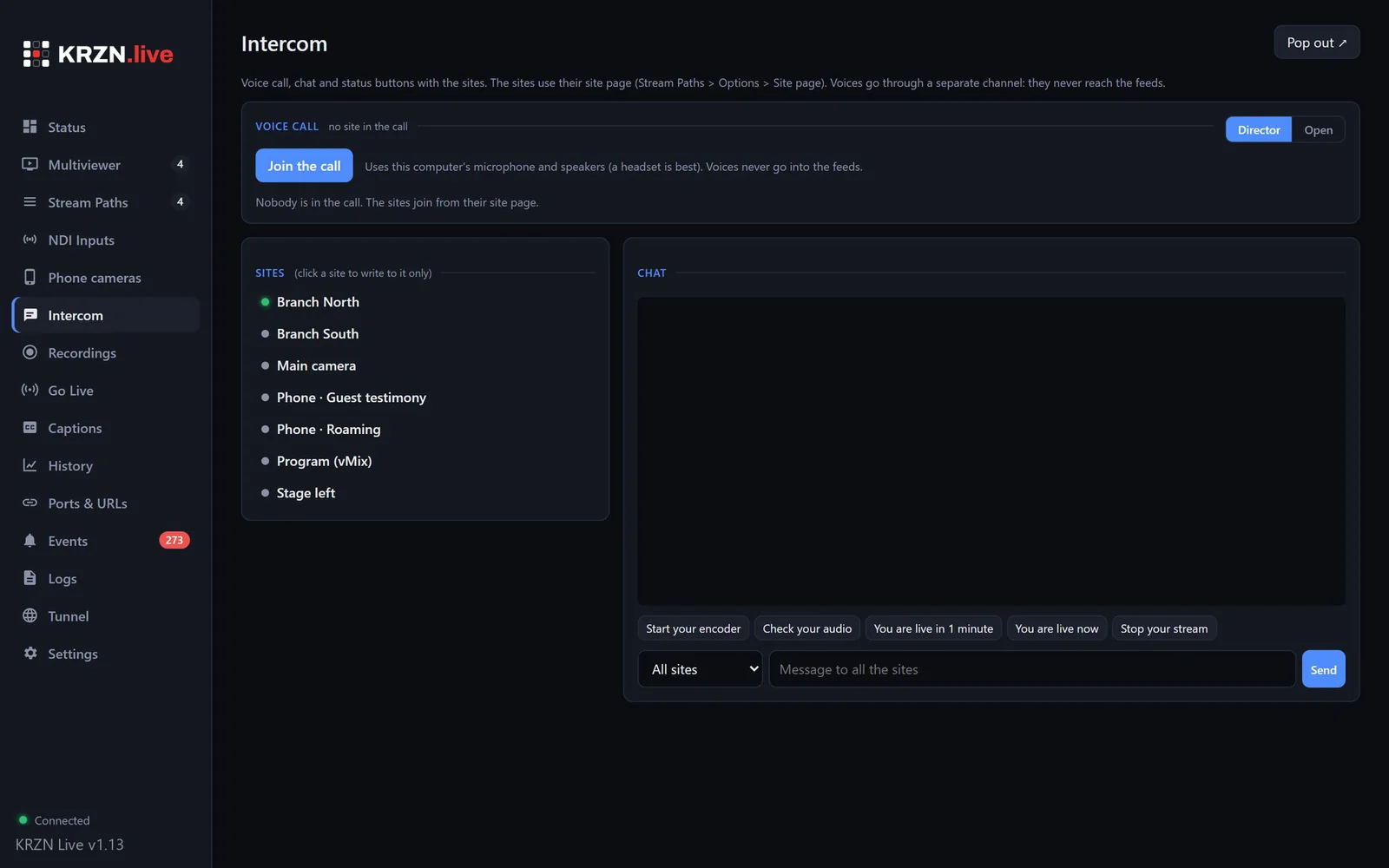
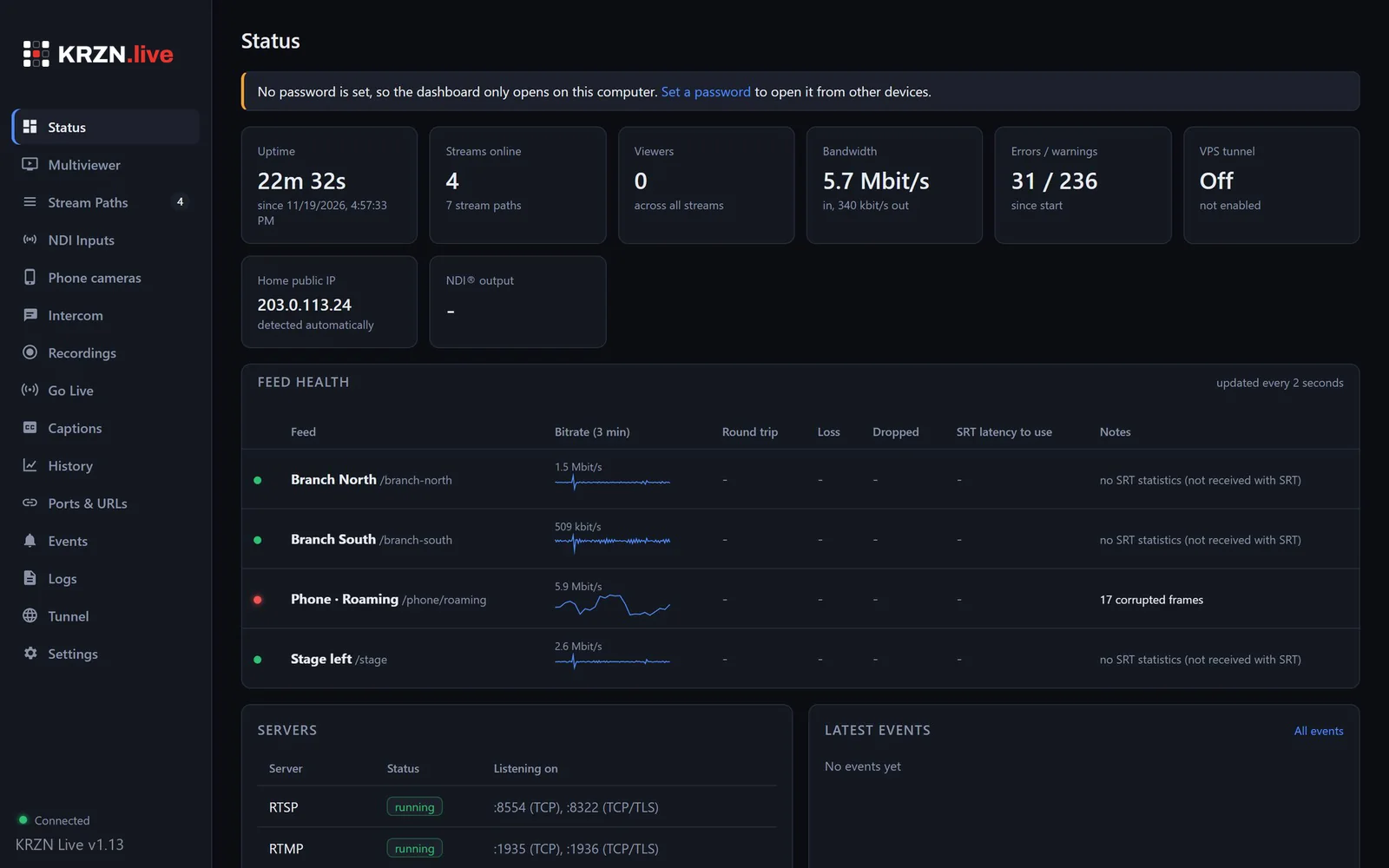
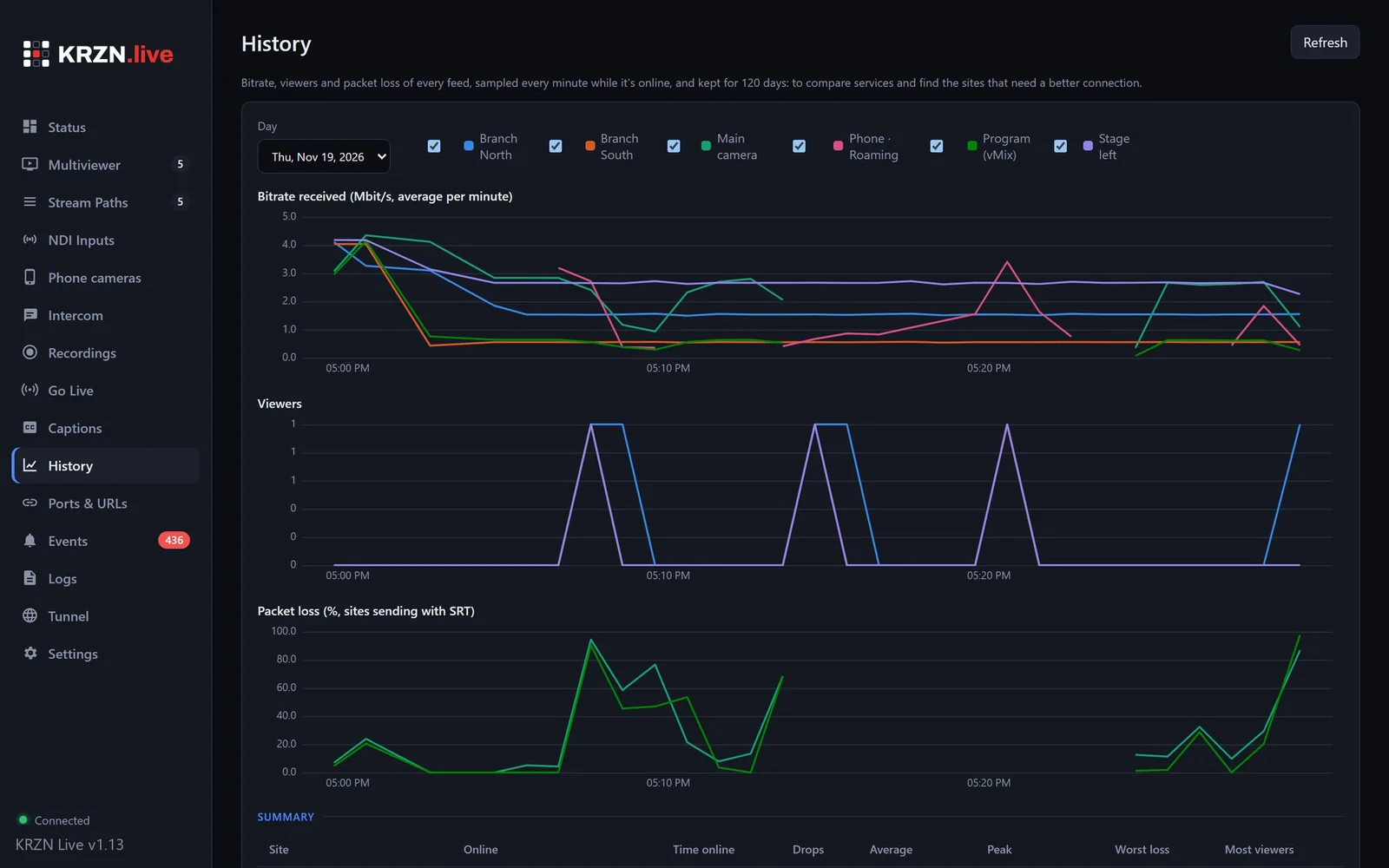 Enlarge
Contribution, recording, production feeds and scheduled streaming in one program, instead of several tools stitched together.
One stream path per location over SRT or RTMP, through a cloud edge, a tunnel or your own address.
VPS edge →Up to 9 feeds with sub-second WebRTC, audio meters, feed info and a TV mode for a second screen.
Dashboard →Every feed becomes an NDI source with tally, a fixed format, a backup feed and a slate. Inputs never freeze.
NDI output →ISO recording per source or all at once, instant replay, clips, exports and share links.
Recording →A link or a QR code turns any phone into a live camera. No app, no account.
All features →Voice and text between the director and every site from a browser link. Voices never reach the feeds.
All features →Upload the program once; the cloud server streams it to Facebook, YouTube and any RTMP platform on a schedule.
Go Live →Speech-to-text on your own computer, straight into a vMix title. No per-minute fees.
Captions →Buffers, reconnecting slates, standby computers and a log that names the cause of every drop.
Move the slider to see what your viewers on YouTube and Facebook see.
A 12 s cut is hidden by the 30 s buffer: viewers never notice.
A standby computer takes over the tunnel, recordings and NDI outputs in about 8 seconds, with the same NDI names, so vMix keeps its inputs.
Cluster mode also spreads NDI outputs, inputs and recordings over several computers. Cluster →
Compared with the two usual ways of streaming several locations: assembling free tools, or subscribing to a hosted streaming service.
| Capability | Do-it-yourselfOBS + port forwarding | Subscription serviceHosted streaming | KRZN LiveYour hardware, your server |
|---|---|---|---|
| Remote sites on any internet | Partly, or with extra tools or hardware | Partly, or with extra tools or hardware | Included |
| Works without port forwarding | Not included | Included | Included |
| Port forwarding also supported | Included | Not included | Included |
| Scheduled streaming to Facebook and YouTube | Not included | Included | Included |
| Rides out internet cuts at the venue | Not included | Included | Included |
| Phone cameras without an app | Not included | Partly, or with extra tools or hardware | Included |
| Every camera recorded separately, with instant clips | Partly, or with extra tools or hardware | Partly, or with extra tools or hardware | Included |
| Each feed into the switcher over NDI® | Partly, or with extra tools or hardware | Not included | Included |
| Automatic failover to a second computer | Not included | Partly, or with extra tools or hardware | Included |
| Cause of every connection drop | Not included | Not included | Included |
| Runs on hardware and servers you control | Included | Not included | Included |
| No per-month streaming subscription | Included | Not included | Included |
Typical capabilities of each approach; "partly" counts as half in the scores. Individual products and setups vary.
Several locations contribute to one program. Each site sends its feed over its own internet; the main venue switches them like local cameras.
Reporters and guests go live from the field with a phone or a laptop encoder, at full quality and low delay, ready to cut into the program.
Cameras at a remote location reach the studio through the cloud, with no network setup there. Short drops are covered by a reconnecting slate.
Weekly programs are scheduled once and go out to Facebook and YouTube at set times, live or pre-recorded, without anyone pressing "Go live".
Every room sends its own feed. Watch them all in the multiviewer, record each room in its own file, and show any room on overflow screens in a browser or on a TV.
Cameras and phones around the field feed one production. Instant replay and quick clips of the last 30 seconds go straight back into the program.
Speakers join from home or other offices with a link or an encoder. The director talks to every site on the intercom, and live captions go on screen.
Sound comes straight from the Dante network, every camera is recorded separately for the edit, and the program streams to every platform at once.
| Video-call app | KRZN Live | |
|---|---|---|
| Picture quality | Lowered automatically to keep the call going | The resolution and bitrate set on the encoder, without re-encoding |
| Delay | Low, but varies with the call | Under one second with WebRTC; SRT latency set for each connection |
| Packet loss | Hidden by lowering quality | Lost packets resent by SRT within the latency window |
| Audio | Processed for speech: noise and echo suppression | The source audio as sent, for the mixing console |
| Into production | Screen capture of the call window | Each contributor a separate clean feed, also as an NDI source |
| Recording | One composite recording | Every feed recorded separately |
| Contributor setup | App and account | A link or QR code on a phone, or any SRT, RTMP or WebRTC encoder |
Set your locations, cameras and platforms. The diagram updates as you go, and one click sends the setup to us for a quote or a demo.
Estimates assume 1080p feeds at 3 to 6 Mbit/s. Your quote is based on your real setup.
Every production is different: the number of locations, computers and platforms changes what you need. Tell us about yours and we'll send a quote.
Anything else? Message us or send an email.
It depends on your setup: locations, computers, Go Live and the support you need. Use the setup planner above or email us, and we'll send a quote.
Yes. Request the 14-day free demo: we set it up with you, with your own cameras or a sample setup.
A Windows 10 or 11 computer, your cameras or encoders, and an internet connection. A cloud server is optional: it's needed for the tunnel, remote sites and scheduled streaming.
Yes. It works with OBS, vMix, hardware encoders, IP cameras, phones, NDI and Dante. It uses standard protocols, so existing gear doesn't need replacing.
Each feed needs the upload speed set on its encoder, typically 3 to 6 Mbit/s for 1080p. For scheduled streaming, the program is uploaded once, however many platforms receive it.
No. You can forward ports if your router allows it, or use the built-in cloud tunnel, which needs no router changes at all.
Cuts shorter than 30 seconds don't reach the platforms. Longer cuts show a "We'll be right back" slate, and the stream resumes by itself. The connection log records the cause.
On your own computers and your own cloud server. Your video does not pass through our servers.
Automatically. Each computer finds a new version and installs it with one click, never in the middle of a live event. Every update is cryptographically signed.
 PDF
27 pages: every feature with screenshots, the system overview, use cases, the comparison, requirements and the FAQ. Easy to share with your team or your board.
Send us an email or a message on Facebook. We reply with a quote, or with the next steps for your 14-day free demo.
KRZN Live is made by KRZN, founded by Kriz Cristobal.
kriz@krzn.site